110 字
1 分钟
claude code里面使用chatgpt的模型教程
现在的cc switch已经支持在本地中转chatgpt模型到claude code中使用。
现在的cc switch已经支持在本地中转chatgpt模型到claude code中使用。
前置步骤
1、准备好cc-switch 下载
2、已经安装好claude code
3、有chatgpt供应商key和url
操作步骤
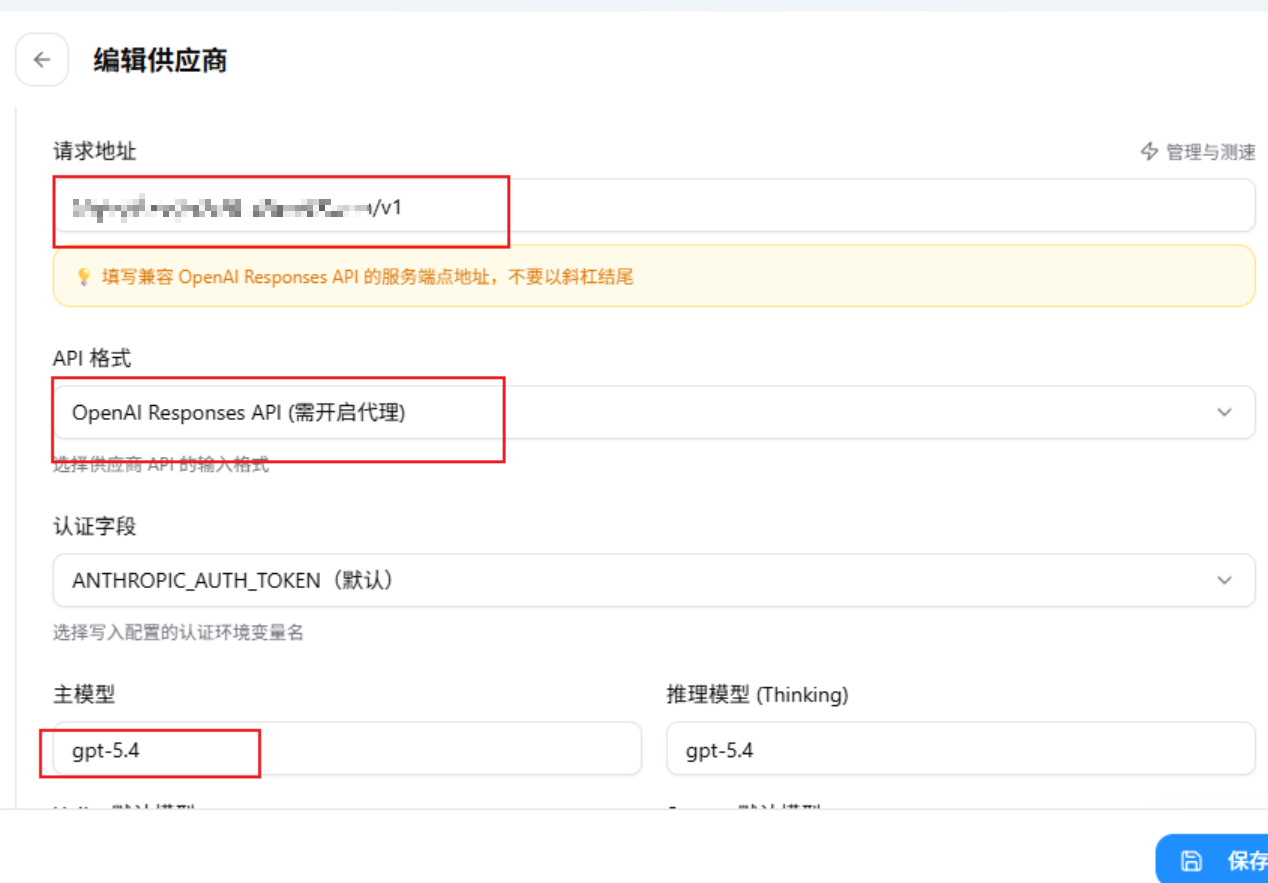
1、打开cc-switch 新建claude code配置如下,正常填入chatgpt的url和key,然后api格式选responses
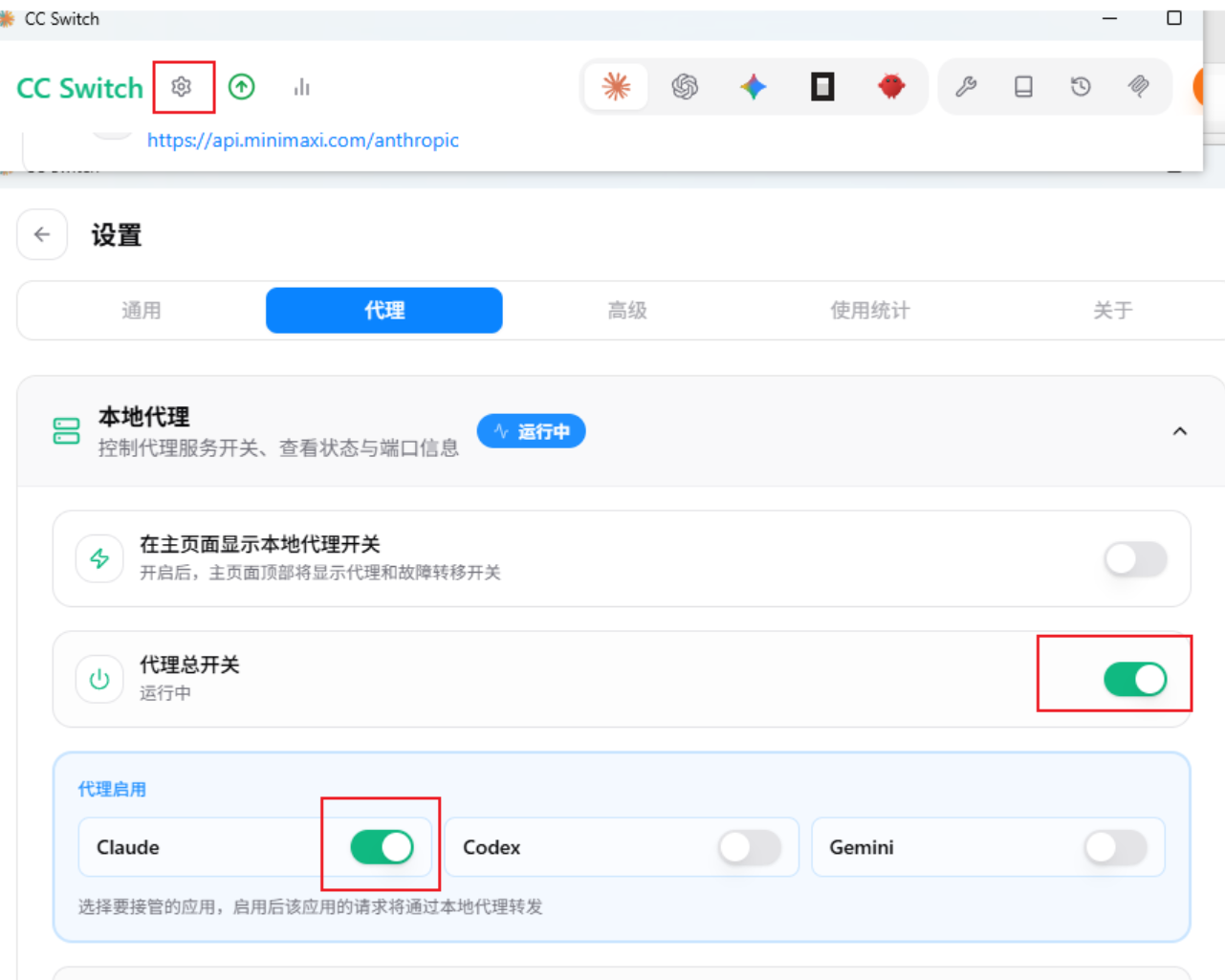
2、cc-swicth左上角的设置按钮打开设置 开启代理,开启claude code
3、打开claude code使用即可
发现错误或想要改进这篇文章?
在 GitHub 上编辑此页 claude code里面使用chatgpt的模型教程
https://blog.chaosyn.com/posts/claude-code里面使用chatgpt的模型教程/